|
|
Share |

There may be times when you want to use the R7 Land Mapper to collaborate with others or to provide information to the public. In some cases, you might want to focus the viewer’s attention on a particular geographic area and/or on specific data layers. This can easily be done using the Share tool in the Mapper. It does this by constructing a custom URL based on the Land Mapper's current map view. You can then send the custom URL to others, and when they use it to open the Land Mapper, it will zoom in to the geographic area and display the data layers that you specified.
To Use the Share Tool
1) Configure the map view so that it shows what you want the viewer to see. For example, zoom in to a particular geographic area and/or use the Layers tool to turn layers on or off. Your configured view of the map will be what users will see when you share the custom URL with them.
2) Click the More... icon on the left-hand side of the Mapper window.
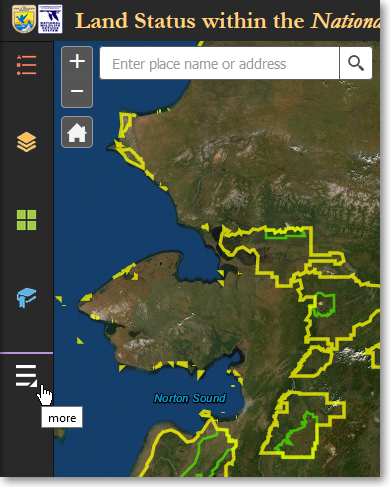
Click More... to access additional tools
3) Click the Share tool.
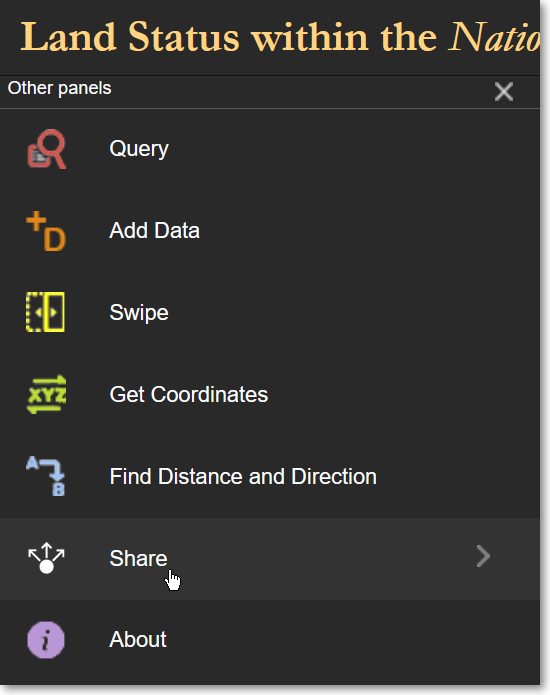
Click the Share tool
4) In the Share pane, click Link Options.
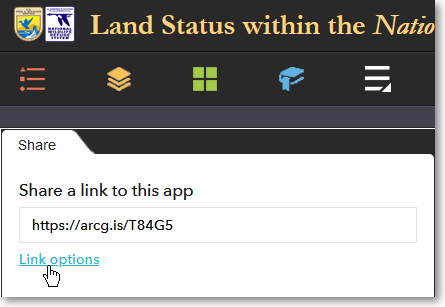
Click Link Options to set custom URL parameters
5) A list of options will be displayed. Each of these options defines a URL parameter that will be used to customize the Mapper’s URL for sharing with others. In most cases, you will want to select Current map extent and Remember layers visibility. The other options provide other customizations. Feel free to try them out. When you have selected the desired options, click the left-pointing arrow in the upper-left corner of the Share pane.
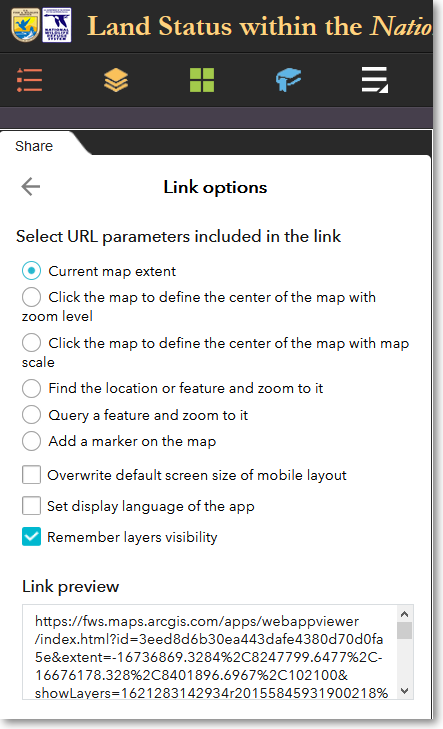
Select various options to include that feature in a custom Land Mapper URL
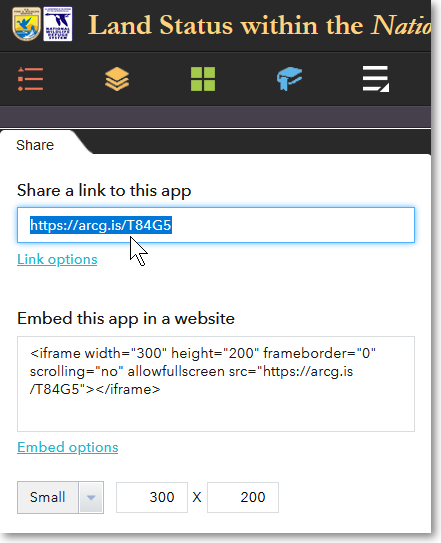
6) The Share pane now displays the customized and shortened URL. You can then send this URL to others for them to use. When they open the URL in a web browser, it will display the Land Mapper as you have configured it.
The Region 7 Land Mapper was developed, and is maintained by, the U.S. Fish & Wildlife Service, Region 7, Division of Realty. Questions, comments,and suggestions should be directed to [email protected]
This page was last updated: Thursday, March 13, 2025