|
|
Printing and Saving the Currently Viewed Map |

At any time while you are working with the Land Mapper, you can save the current view to a file, or just generate a temporary map for printing. The Print tool allows you to select from several page sizes and file formats for the saved map. You can also set several other advanced properties such as map scale, author, and copyright information.
To Print the Currently Viewed Map
1) Use the Mapper's various tools to create the view that you want to save to a file, or to print. The goal is to configure the view in the Land Mapper as you want it to appear in the printed or saved map. This can include resizing the web browser window, zooming in or out, panning around, turning layers on or off in the Layers list, changing the basemap, adding annotations, etc.
2) Click the Print icon in the upper-right corner of the Mapper window. The following dialog box will be shown.
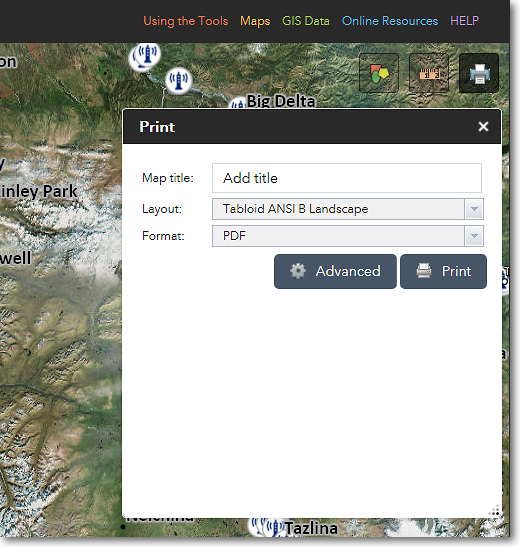
The Print dialog box
3) If desired, enter a title for your map. For example, National Wildlife Refuges in Alaska.
4) Choose a layout for your map. You can choose from several page sizes. If you choose a page size, the resultant map will have various map elements such as a border, title, legend, scale bar, etc. added to it. If you choose Map_Only, these other map elements will not be added; only the content that is visible in the map area will be saved to the output map.
5) Set other options for your map by clicking the Advanced button. When you're ready to create the map, click the Print button. See below for examples.
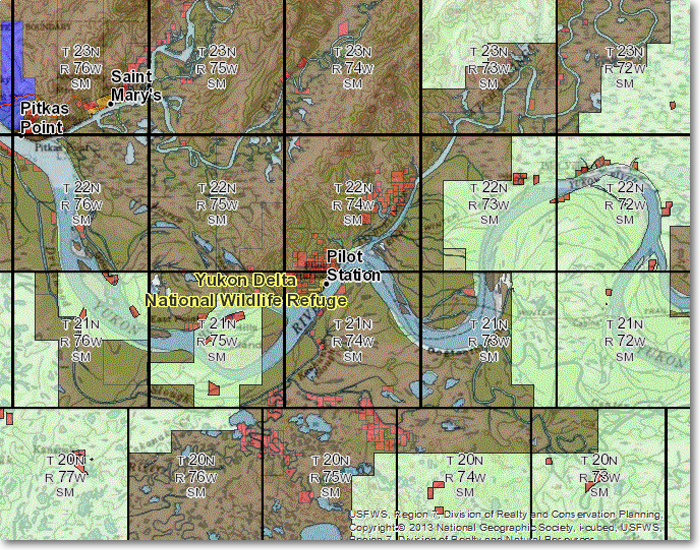
This is an example of a map generated with the Map_Only layout
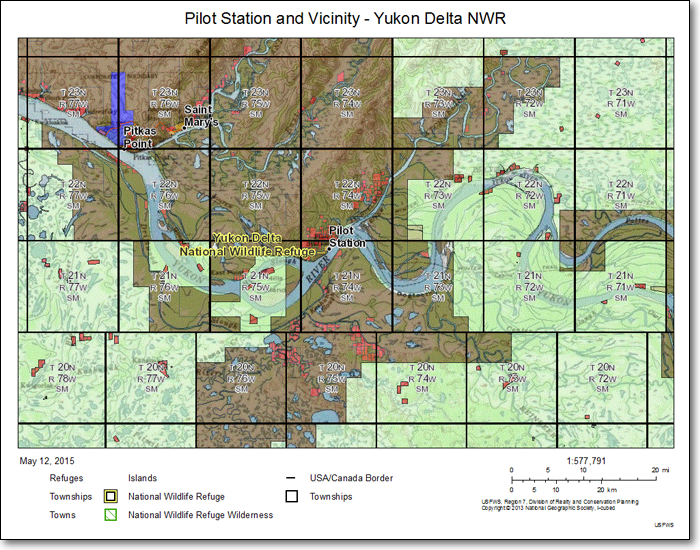
This is an example of a map generated with the Letter ANSI A Landscape layout
6) After the map is created, it will be listed in the Print dialog box. See below for an example.
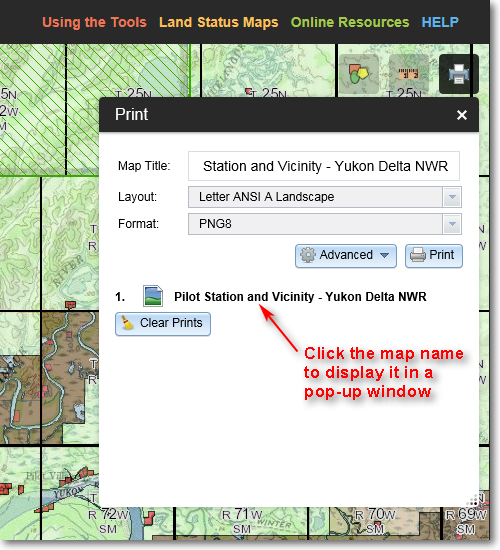
The name of the generated map is listed in the Print dialog box
7) Click on the name of the generated map. It will then appear in a separate pop-up window in your web browser. You can then use your browser's Save Picture As... command (or the equivalent command for your particular web browser) to save the map to a file. Alternatively, you can print the map if you wish.
The Region 7 Land Mapper was developed, and is maintained by, the U.S. Fish & Wildlife Service, Region 7, Division of Realty. Questions, comments,and suggestions should be directed to [email protected]
This page was last updated: Thursday, March 13, 2025