|
|
Adding Data Layers to the Mapper |

The Land Mapper contains data layers representing the surface and subsurface estates within the Alaska National Wildlife Refuges. It also contains other supporting layers that you will find helpful. However, there could be situations in which you may need a data layer that is not included in the Mapper by default. In these cases, you can add your own data layers to the Mapper.
To Add a Data Layer
1) Click the More icon on the left-hand side of the Mapper window.
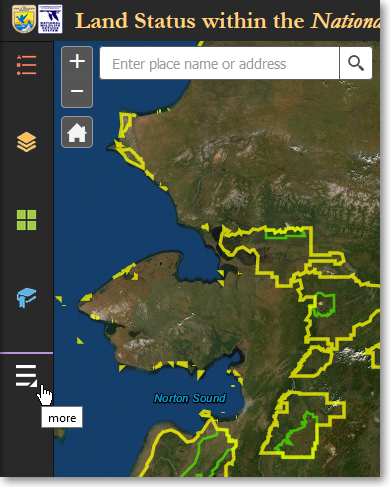
Click the More icon to show the Add Data panel
2) On the Other Panels panel, click Add Data.
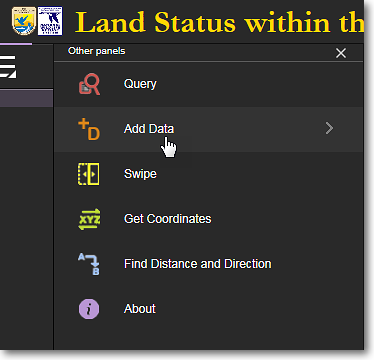
Click Add Data
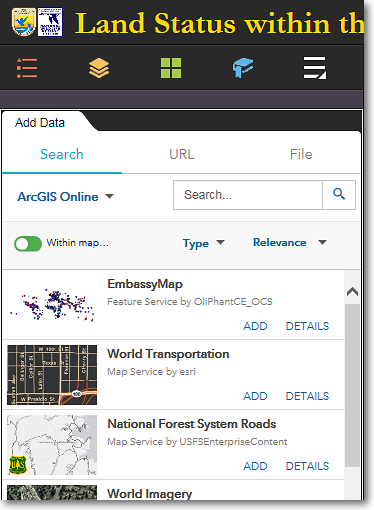
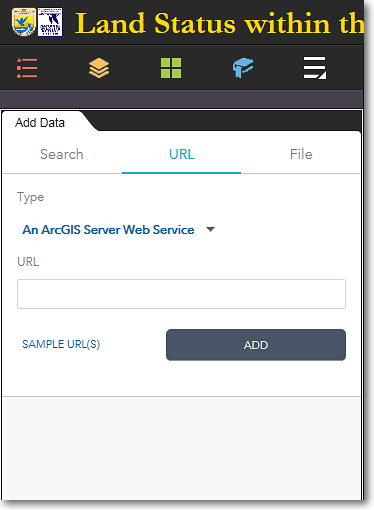
3) The Add Data panel has three tabs at the top of the panel. These tabs let you search for and add data layers that are in various formats. Below are examples of the three Add Data tabs.
|
The Search tab lets you search for data layers that are available on ArcGIS Online. For example, if you want to add UTM zones to the Mapper, enter utm zones in the Search box and press Enter. Select the desired layer and click Add. You can also customize your search using the Within Map, Type, and Relevance options. |
The URL tab lets you add a layer by entering an online URL to its location. Click the Type drop-down list first to specify the type of data that the URL points to, and enter the URL in the input box. Finally, click Add. |
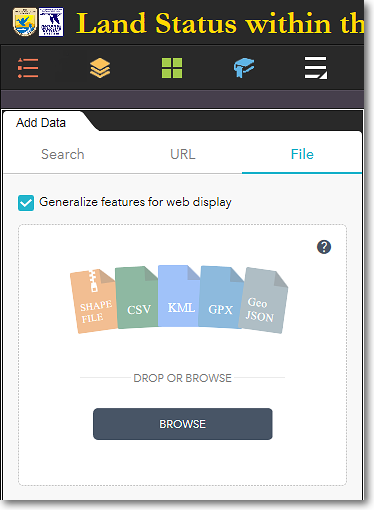
The File tab lets you add a file from your computer to the Mapper. You can add the file types that are shown above. Either browse to the file on your computer, or use drag-and-drop to add the file. |
To Remove a Data Layer
1) Click Layers in the bottom-right corner of the Add Data panel.
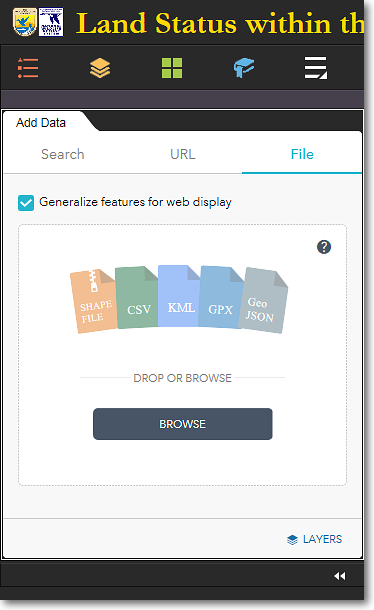
Click Layers in the lower-right corner
2) All the layers you have added will be listed in the Add Data > Layers panel.To remove a data layer, click on the trash can (Remove Layer) icon for the layer.
|
|
User-added data layers are TEMPORARY Data layers that you add to the Mapper are temporary. They are removed from the Mapper when: •You remove them manually •You close your web browser •Your clear your web browser's cache User-added data layers will be retained when... •You minimize or close the Add Data panel •You switch to another tool panel •You leave your web browser open or minimize the browser window |

The Region 7 Land Mapper was developed, and is maintained by, the U.S. Fish & Wildlife Service, Region 7, Division of Realty. Questions, comments,and suggestions should be directed to [email protected]
This page was last updated: Thursday, March 13, 2025